Plug-and-play GPT access for RStudio.
gptRBridge is the fastest way to get GPT inside RStudio. No API account, no setup, no configuration. Install, register, and start working in under 2 minutes.
Features
- Conversational AI chat panel inside RStudio
- Generated R code with one-click insertion into the active editor
- Send console output or error messages automatically back for instant diagnosis
- Powered by GPT (cutting-edge language models)
- Secure account system, your data stays yours
Installation
Run the following in R:
install.packages("gptRBridge", repos = "https://nikkn.r-universe.dev")Getting Started
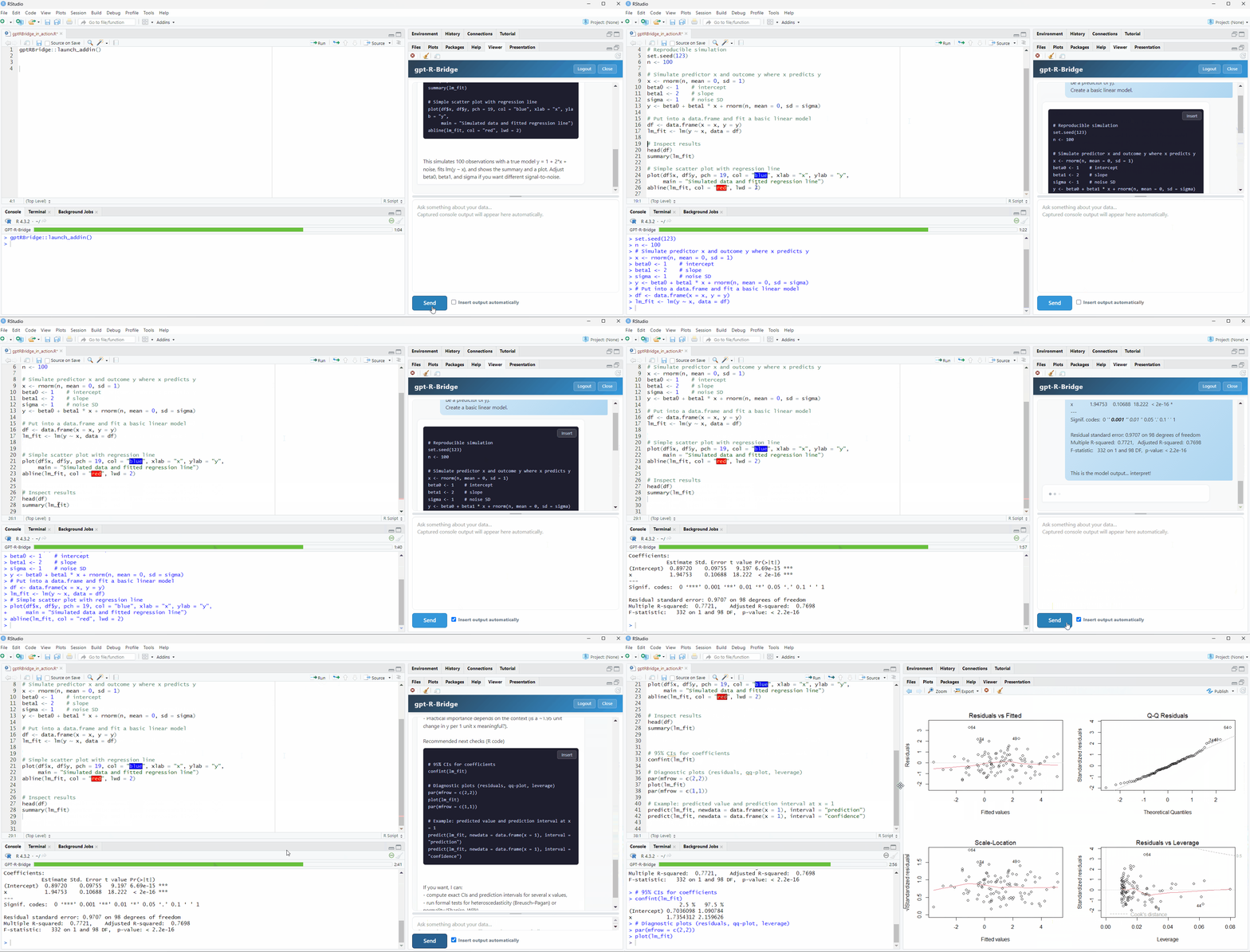
1. Launch the addin
gptRBridge::launch_addin()Or via the RStudio menu: Addins → Launch GPT-R-Bridge
2. Create a free account
Register with your email and password. You receive 25 free trial calls at no cost. No credit card required.
3. Start chatting
Ask anything about your data, models, or R code. The assistant responds with explanations and ready-to-run code blocks.
4. Insert code
Click the ‘Insert’ button on any code block to insert it directly into your active RStudio editor with one click.
5. Iterate automatically
Console output, results, and errors are captured and passed back to the assistant automatically, so you can iterate without copy-pasting anything.
Pricing
| Trial | 25 free calls, no charge |
| Subscription | $4.99/month, cancel anytime |
Your first 25 calls are completely free. After that, a flat subscription of $4.99/month gives you full access. One simple price, no usage surprises.
License
This software is free to use for personal and academic purposes. Commercial use and redistribution require written permission. See LICENSE.md for full terms.
© 2026 Nikolai Alexander